
Ever sat there watching a streamer pull off a flawless headshot, clutch a match, or spin big wins on a game qq—and thought, “I could totally do this… if only I knew how”? You’re not alone. With the rise of platforms like Twitch, YouTube Gaming, and Kick, streaming isn’t just a hobby anymore—it’s a potential career. But let’s be honest: getting started feels overwhelming. Between the gear, software, overlays, and figuring out how not to sound like a robot on mic, it’s easy to give up before you even go live.
This guide is here to change that. We’re going to walk you through how to stream your gameplay like a pro, even if you’re a complete beginner. No fluff, no recycled advice, just real talk. Whether you want to entertain a small community or build a massive following, this is your roadmap.
Know Your Why Before You Hit “Go Live”
Before you even plug in your microphone or mess with stream settings, ask yourself—why do you want to stream? Is it for fun? For fame? To make money? To build a gaming community? Your answer will influence everything from the kind of content you produce to the platforms you focus on. A casual streamer playing a few rounds of a qq online game with friends will have a very different approach compared to someone chasing Twitch Partner status. Knowing your purpose gives you direction—and without direction, you’ll just wander.
Set Up the Right Gear Without Breaking the Bank
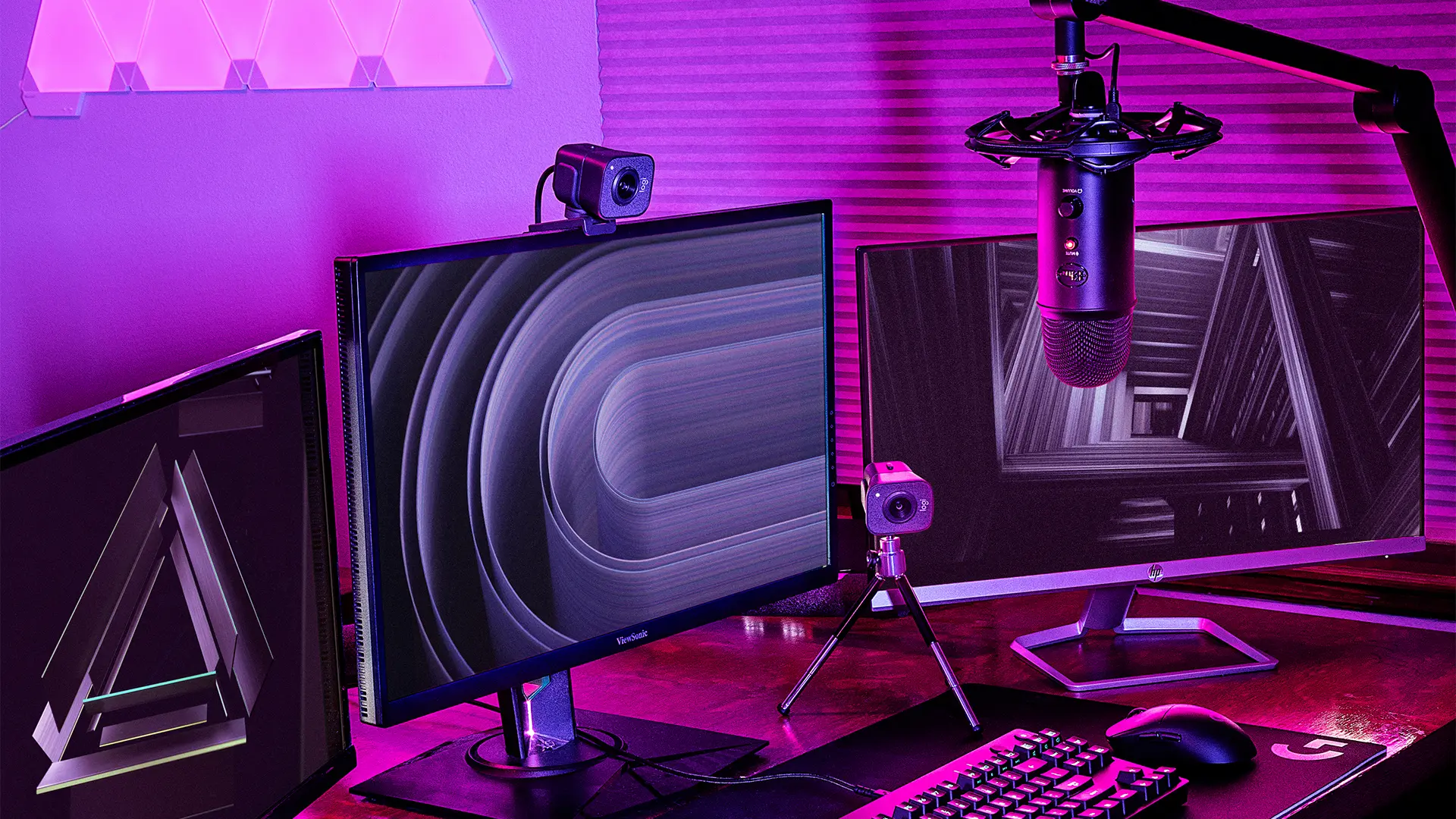
You don’t need a NASA-level setup to start streaming, but you do need more than just your console. Here’s the basic gear checklist:
- PC or Console: A gaming PC with at least 16GB RAM and a decent GPU (think NVIDIA GTX 1660 or higher) is ideal. For console streamers, devices like PS5 and Xbox Series X have native streaming, but connecting through a capture card opens up more customization.
- Capture Card: If you’re using a console and want overlays, alerts, or dual streaming, a capture card like Elgato HD60 S is a must.
- Camera: You don’t need 4K, but a 1080p webcam like the Logitech C920 will give a professional edge.
- Microphone: Good audio is non-negotiable. USB mics like the Blue Yeti or XLR setups with audio interfaces can give you clean, crisp sound that keeps viewers engaged.
- Lighting: Even a cheap ring light can make a huge difference in your on-camera presence.
Starting with this gear won’t cost a fortune, and you can always upgrade as you grow.
Choose Your Platform Wisely
Twitch might be the first name that comes to mind, but it’s not your only option. YouTube Gaming, Kick, Facebook Gaming, and even TikTok Live (yes, mobile streaming is a thing now) all offer different audiences and monetization paths.
- Twitch is great for building a live community but has intense competition.
- YouTube Gaming helps with discoverability since streams stay as searchable videos.
- Kick is growing fast with looser rules and better revenue share.
- Facebook Gaming has an older demographic and is great for casual games, including mobile-friendly ones like that relaxing slot game you unwind with after work.
Choose the platform where your ideal audience hangs out. Don’t try to master them all at once.
Use the Right Streaming Software
This is where things can start feeling technical, but don’t worry—we’ve got you. You’ll need broadcasting software to capture your gameplay, webcam, and mic. The two top free options are:
- OBS Studio – The open-source gold standard. Powerful and customizable but has a bit of a learning curve.
- Streamlabs – Built on OBS but more user-friendly with drag-and-drop widgets, donation integration, and built-in overlays.
Install your software, link your streaming account, and set your resolution (720p is okay to start, 1080p is better). Stick to a bitrate of 4000–6000 Kbps for 1080p at 60fps.
Pro tip: Always test your stream before going live. You don’t want to discover your mic was muted halfway through a killer poker game.
Create a Stream Layout That Doesn’t Suck
Your layout is the first impression viewers get. Overlays, alerts, chat windows, webcam frames—these make you look like you know what you’re doing even before you say a word.
- Keep it clean: Don’t clutter your screen with ten flashing gifs. Showcase your gameplay, not your graphic design skills.
- Brand yourself: Pick a colour scheme and stick with it. Make your name/logo visible but not intrusive.
- Alerts and Widgets: Use tools like StreamElements or Streamlabs to add alerts for followers, donations, and subscriptions. This keeps viewers engaged and encourages interaction.
And don’t forget your “Starting Soon,” “Be Right Back,” and “Thanks for Watching” screens. They make transitions look polished and professional.
Internet Speed Matters More Than You Think
Let’s clear this up right now: if your upload speed is under 5 Mbps, you’re going to have a bad time. Streaming is upload-heavy. Run a speed test (try speedtest.net) and aim for:
- Upload speed: 6 Mbps minimum for 720p, 10 Mbps+ for 1080p.
- Wired connection: Always better than Wi-Fi. Ethernet = fewer dropouts.
Poor connection? Your stream will buffer, stutter, and lose viewers faster than a busted slot game payout.
Plan Your Content in Advance (Yes, Even Gaming Streams)
Randomly hopping on to stream “whatever” is fine for friends—but it won’t grow a following. Pro streamers plan content like:
- “Let’s try to win 3 ranked matches tonight”
- “Road to diamond in Valorant”
- “Trying out the newest slot game update—can we hit the jackpot?”
- “Viewer challenge: Build the worst Fortnite loadout for me”
Have a plan. Set the tone, keep viewers hooked, and tease upcoming sessions.
Engage Your Audience, Even When No One’s Watching
Here’s a secret most new streamers don’t realize: stream like people are watching, even if they aren’t. It builds the habit of being entertaining. Narrate what you’re doing. Ask questions like “What would you do here?” or “Have you guys tried this deck in your poker game?”
Even a single viewer is someone worth engaging with. Greet them by name. Thank them for joining. Make them feel seen. Viewers stick around for people, not just gameplay.
Promote Smarter, Not Harder
Don’t rely solely on platform discoverability—it’s brutal out there. Use social media wisely:
- Twitter/X for updates and clips
- Instagram Reels and TikTok for short, punchy highlights
- Discord to build a community and share schedules
- YouTube Shorts for exposure beyond live viewers
Repurpose your content. That epic final round of your poker game or insane slot game win? Clip it, title it dramatically, and let the algorithm work its magic.
Handle Trolls and Burnout Like a Pro
Streaming isn’t all fun and followers. You’ll deal with trolls, tech issues, and days when no one shows up.
- Trolls: Set up moderation bots like Nightbot or Streamlabs Cloudbot. Appoint trusted mods if your chat gets busy.
- Mental fatigue: Streaming for hours is draining. Take breaks, have off days, and never let the pressure to “always be live” kill your love for gaming.
Remember: consistency beats frequency. It’s better to stream 3 times a week regularly than 7 times in a chaotic mess.
Monetize Without Selling Out
Once you build a following, you can start monetizing. But don’t rush it. Focus on value first.
Revenue streams include:
- Twitch subs and bits
- YouTube AdSense and Super Chats
- Affiliate links (gear, games, etc.)
- Brand sponsorships
- Donations via StreamElements or Ko-fi
- Exclusive content on Patreon
Even small streamers make money if they have an engaged community. Just don’t spam donation links in every sentence. Be human first, marketer second.
Keep Learning and Improving
Top streamers aren’t just lucky. They review their past streams, look at analytics, and adapt. Ask yourself:
- What content gets the most views?
- Where did people drop off?
- What moments got chat buzzing?
Watch your favorite streamers. Notice how they banter, manage transitions, or make even a quiet poker game feel electric. Adapt and make it yours.
The Final Word: Your Stream, Your Rules
Streaming your gameplay like a pro doesn’t mean becoming someone you’re not. It means creating a setup and vibe that reflects you—while giving viewers a reason to stick around.
You’ll mess up at first. Your mic will cut out, your cat might jump on your keyboard mid-stream, and you’ll probably forget to unmute yourself at least once. It’s all part of the journey.
But if you stick with it, streaming can be one of the most creatively fulfilling experiences in gaming. You’ll build friendships, entertain others, and maybe even earn a side income—or a full-blown career.
And who knows? Maybe your next stream is the one where everything clicks. So fire up that webcam, cue your intro music, and go live like a pro.
